Work Experience Journal - Day 1
- Jan 8, 2019
- 2 min read
My first assignment was to create a chandelier with: Chandelier Height - To effortlessly change the chandelier height. Static Mesh - To allow you to change the chandelier mesh to create different chandeliers. Chandelier Z Offset - Lets other team members to alter the height of the chandelier without having to use the chandelier height slider.
I worked on making the chandelier physics work and tried to code a grapple. I learned a lot about physics constraints to allow the chandelier to hang from the base of the light and about coding in construction script as appose to event graph which lets Unreal make these changes in the editor and not when play is pressed. Previously, I was unaware about the purpose of construction script and as a result most of my older projects before hand have all be done in the Event graph. This has probably caused testing certain object to take much longer and coding to be considerably more difficult.
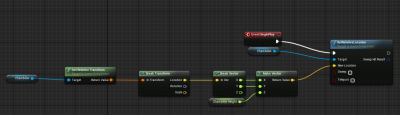

I also learned how to utilise variables in the detail panel in Unreal to make adjusting an object easier for the designer. On a side note, I learned about the exist of the cable actor which was used to give of the illusion that the chandelier hangs from the light with the cable and sockets to properly connect the cable to the chandelier when switching the chandelier model.
I was impressed by the chandelier as by creating it, I learned that some thing I thought was difficult to make was surprisingly simple to make.
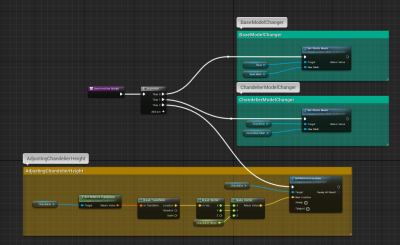
The lead developer suggested that "can you make it big enough for the player to stand on". I scaled up the chandelier large enough but the chandelier just tilts and the player falls off the chandelier. That will be my main goal for tomorrow.
Helpful Links
https://www.youtube.com/watch?v=BH0G89cXHvw
Harvard Referencing
Sarter, R (2019) All images; 8 Jaunary 2019
Wood, S. (2019) Unreal. Discord; 8 January 2019 [online]
RATSGAME (2015). UE4 Physics Chain. [video] Available at: https://www.youtube.com/watch?v=BH0G89cXHvw [Accessed 8 Jan. 2019].
Comments